Foldman CD
Shut the lid. Hear it spin.
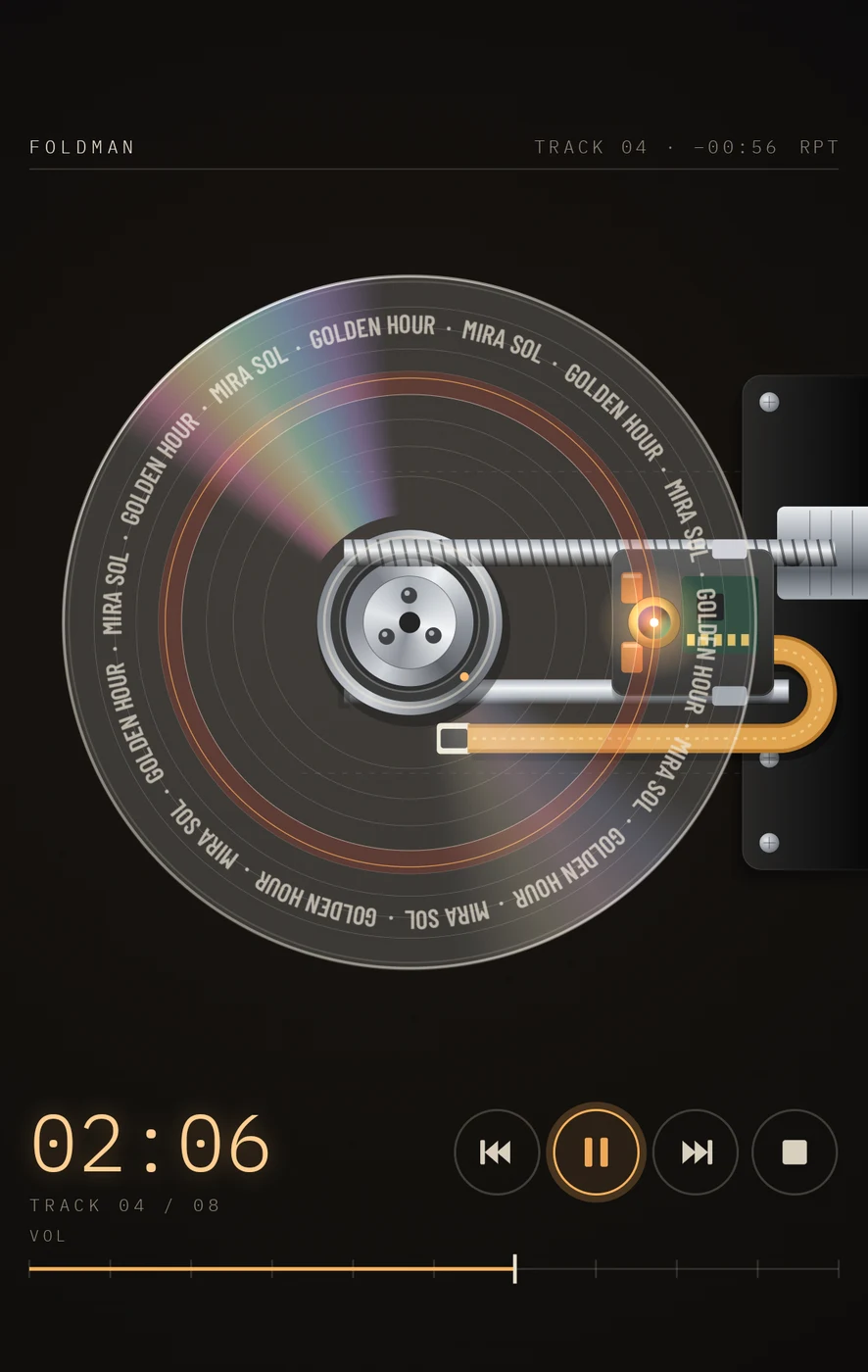
Foldman - CD player turns a book-style foldable into a portable CD player. Open the phone to pick a disc from the CD bag. Shut it, and the cover screen becomes the player, with the disc turning under a smoked lid.
Free on Google Play. Needs Android 8.0 or newer. Made for book-style foldables and tuned first for the Galaxy Z Fold 8. On a phone that doesn't fold, the lid opens by touch instead.
Tape or disc?
The CD player grew out of Foldman - Cassette player. It reads the same music and the same library, then hands it to you as CDs instead of cassettes.
| What | Cassette player | CD player |
|---|---|---|
| An album becomes | a tape with side A and side B | a disc, one run of tracks |
| Your albums live in | a rack of tapes | a CD bag, one disc to a fleece leaf |
| Finding a song | wind the reel with a finger | skip, hold to search, or tap a track to cue it |
| The cover screen | a cassette deck, in 43 bodies | a portable CD player, in seven bodies, with twelve more for supporters |
| Your own playlists | mixtapes, recorded from any songs | mix CDs, burned from any songs |
| Over time | tapes yellow, scratch and stretch | a disc doesn't stretch. It just spins. |
| Sound | only with the phone closed, from the cover screen | |
| Labels and cover photos | shared, when both apps use the same folder | |
The CD bag
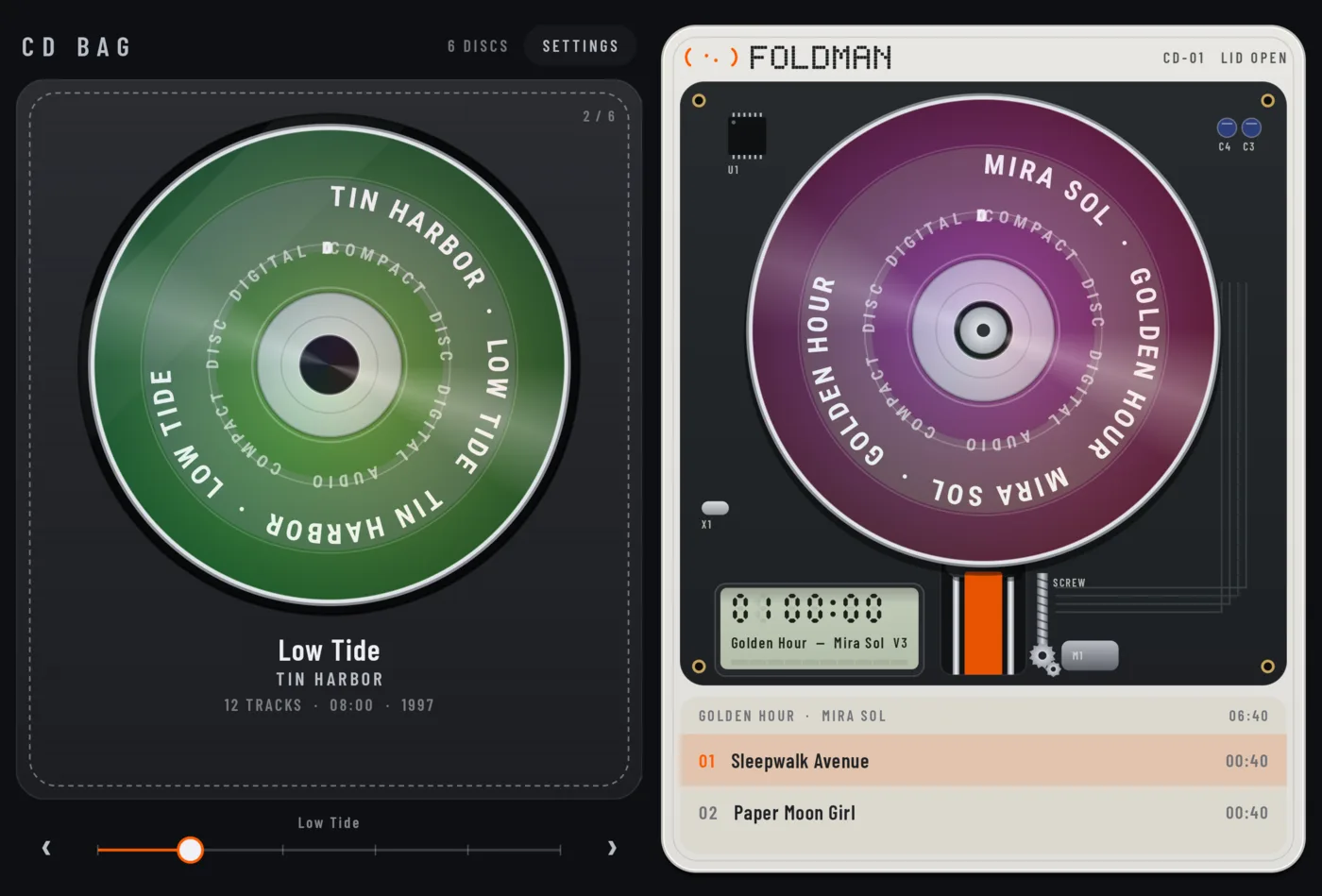
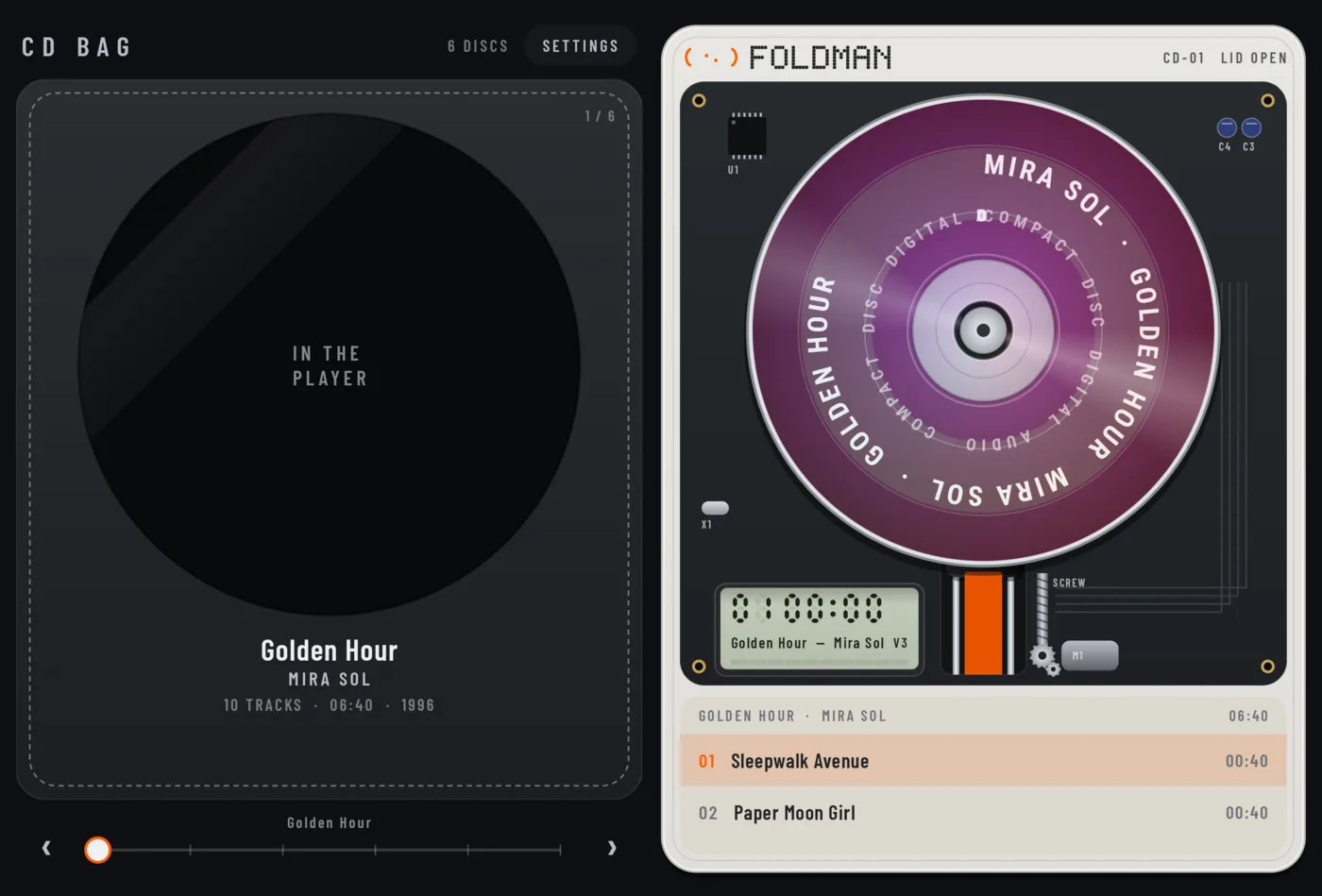
Open the phone like a book. On the left is a wallet of fleece sleeves with one disc on each leaf. On the right, the player stands open beside its track list.
- Turn the leaves. Swipe to fold a leaf over the spine, or drag the scrubber to run through the whole bag.
- Load a disc. Drag it out of the bag and drop it on the player.
- Read a disc. Tap it for its details: edit the label, add a cover photo, or take it out of the bag.
- Cue a track. Tap it in the list and the sled slides there. Double-tap the disc to put it back in its sleeve.
The hinge rule: unfolding the phone fades the music out, and folding never starts it. Close the phone and press PLAY on the cover screen.
Snaps from the bag
Seven bodies, one disc
The cover screen can wear seven different players, each with its own keys and its own finishes. OPEN and FOCUS, new in version 0.9.16, come in sixteen colours, and every body remembers the colour you last wore on it. Swipe three fingers across the cover to change the body, and up or down to change the colour. You can also pick one in settings.
-
CD-92
Open
The disc is the product. A clear disc sits at full size over the working drive, so you see the sled, the lens and the flex cable through it, with a lit ring where the laser reads. The cover isn't printed on it: the plastic stays clear, with a thin ring of print for the title and artist. The sled creeps outward as the disc plays. A counter, four hairline keys and a volume line. Free, in sixteen colours. From version 0.9.16, with the clear disc from 0.9.17.
nightblueprintboneemberforest+ 11 more
-
CD-93
Focus
OPEN with nothing else: no counter and no volume line, a bigger disc that prints the cover (OPEN's stays clear), and four chunky piano keys in dark wells that travel down when pressed. Use the phone's own volume buttons. Free, in sixteen colours. From version 0.9.16.
boneskysagesynthpeach+ 11 more
-
CD-01
Studio
The disc as big as the case allows, on its bare circuit board. Numbered round keys in a row.
greycreamgraphite
-
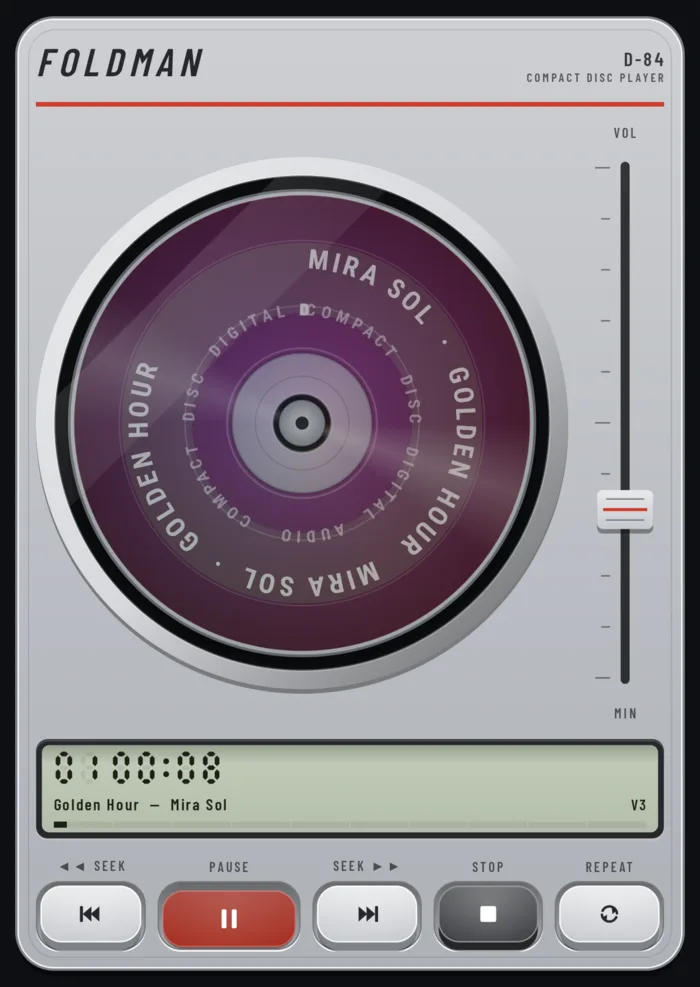
D-84
Heritage
The first portable: a round window in a square body, flat tab keys along the edge and a slide for volume.
silverblackchampagne
-
OP-CD
Field
A black screen, four coloured knobs and a grid of keys. Turn the knobs for track, volume, search and mode.
whiteblacksand
-
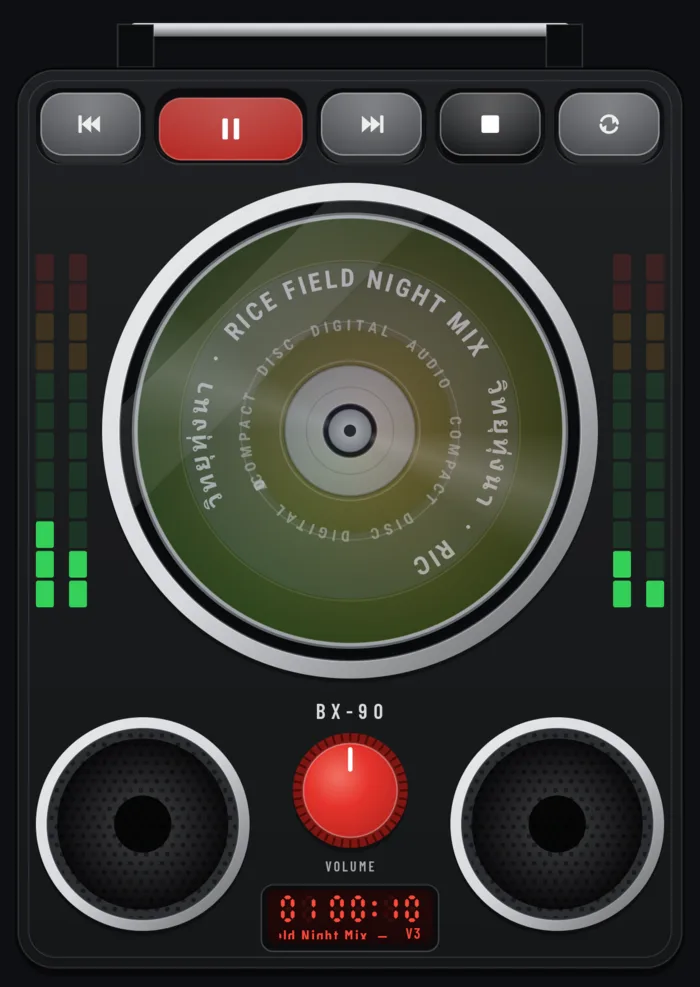
BX-90
Boombox
A top-loading CD boombox: chunky keys on top, two speakers that pump, and a big volume dial.
blacksilverpastel
-
J-1
Jog
A DJ deck where the disc is the jog wheel: turn it to search. Big CUE and PLAY keys, and a fader for volume.
blackwhitered
Twelve premium bodies
Any coffee unlocks twelve more players, six modern and six after their eras. Each is drawn in materials of its own, leather, aluminium, lacquer, bakelite, carbon, glass and more, and the light slides across them as you tilt the phone. Until a coffee is bought you can look at them in settings but not wear them. New in version 0.9.22.
-
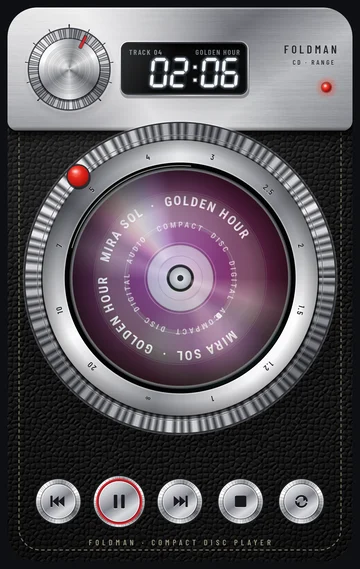
CD-P1
RANGE
Pebbled leather and a chrome top plate, the disc in a lens barrel with a knurled focus ring, a red dot and a shutter-dial volume.
-
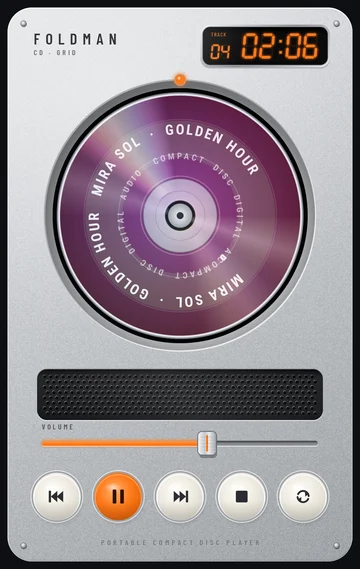
CD-P2
GRID
Bead-blasted aluminium with a perforated speaker field, orange segments, a slide fader and cream ceramic keys.
-
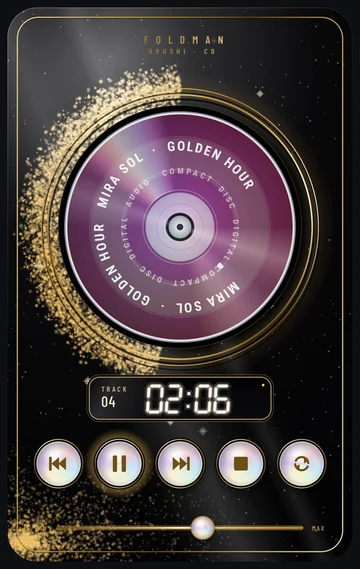
CD-P3
URUSHI
Black lacquer with gold dust round the disc, a gold rule, mother-of-pearl keys and a pearl-bead slider.
-
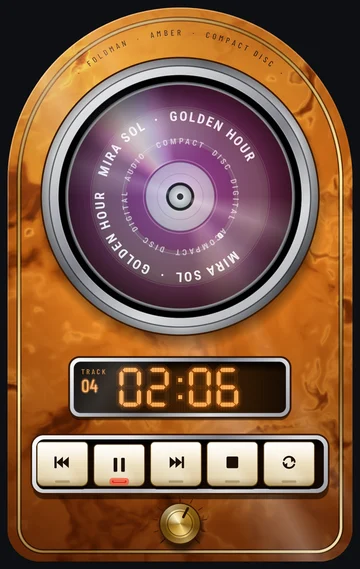
CD-P4
AMBER
Marbled bakelite in an arched radio case: a chrome bezel, ivory piano keys, a brass volume dial and a nixie glow.
-
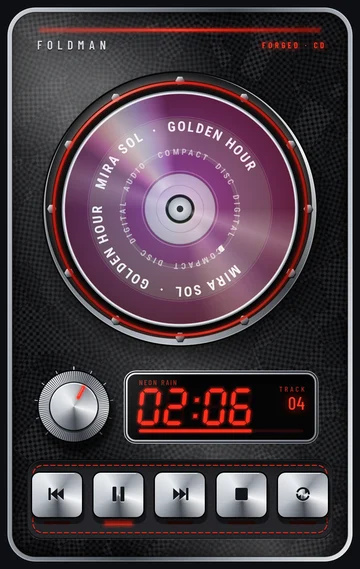
CD-P5
FORGED
Forged carbon under clearcoat with titanium hardware, twelve hex bolts, a red LED display and a knurled knob.
-
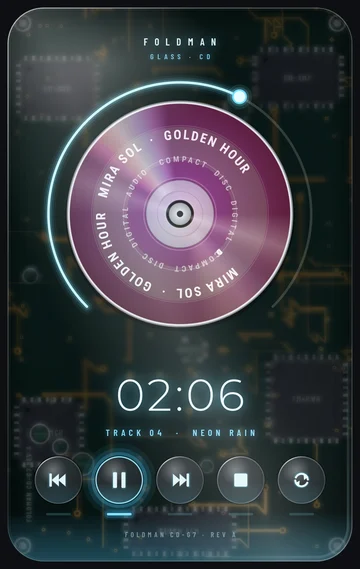
CD-P6
GLASS
Smoked glass with the circuit board showing through, a glowing ring round the disc that is the volume, an OLED clock.
-
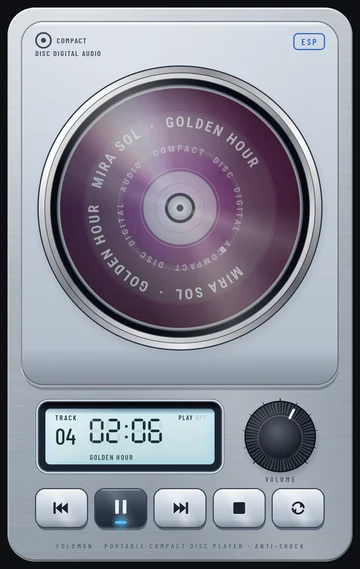
CD-V1
PORTABLE '92
An anodised silver portable: a smoked lid over the disc, a blue-lit LCD, a rubber thumb-knob.
-
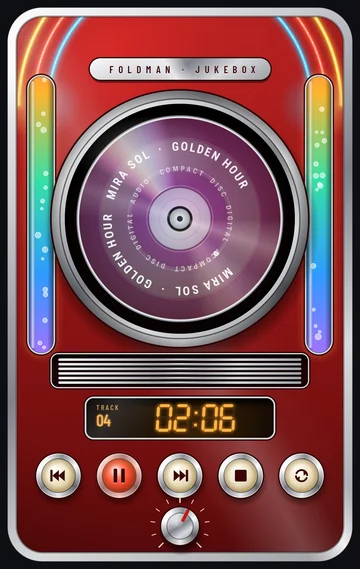
CD-V2
JUKEBOX '57
Cherry enamel and chrome with bubble tubes down both sides and the disc in a record window.
-
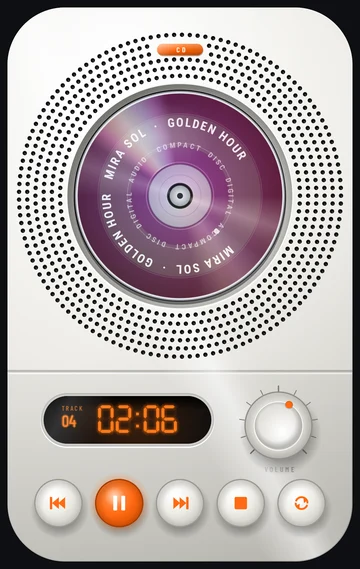
CD-V3
SPACE '68
A white enamel egg: a ring of speaker holes round the disc, orange keys and a big white knob.
-
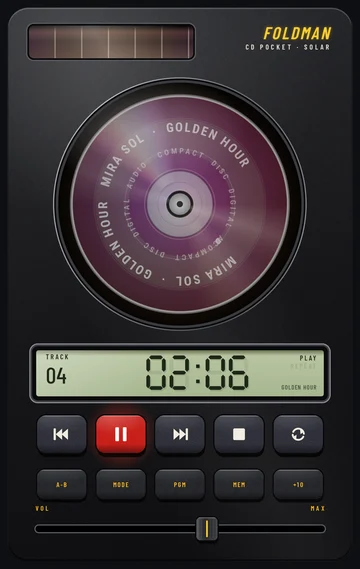
CD-V4
POCKET '84
Black plastic with a solar strip, a pea-green LCD, rubber keys with yellow legends and a slide volume.
-
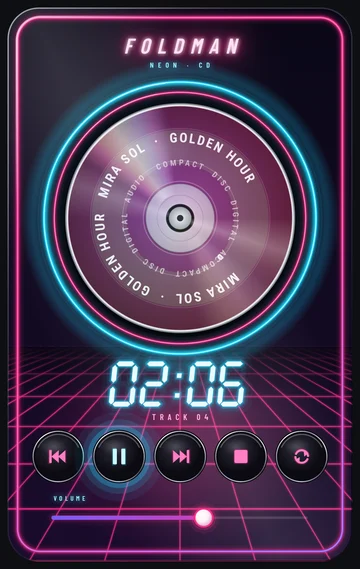
CD-V5
NEON '86
Black gloss with a pink neon tube, a cyan ring round the disc, a grid horizon and glowing keys.
-
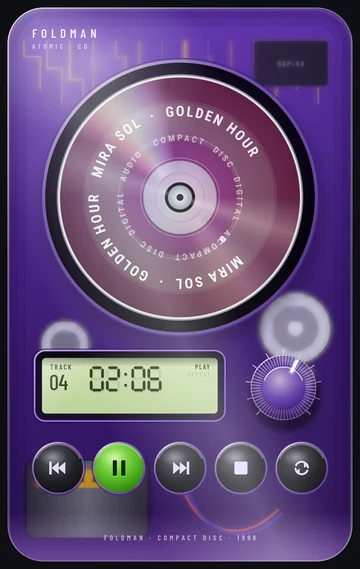
CD-V6
ATOMIC '98
Translucent grape plastic with the battery, the motor and the board showing through, a green LCD and a ridged knob.
Build and organize your CD bag
Every album becomes a disc, then the bag is yours to keep the way you like it.
Organize the bag
- Write the artist and album on every disc's label
- Take out the discs you don't want in the bag
- Keep your albums in your own order
- Burn mix CDs of your own: tick songs from any albums, put them in order, and the disc joins the bag
- Tracks under 20 seconds stay out unless you ask for them
Smart cover scanner
Turn on Look up covers online in settings, tap a disc, then tap FIND ONLINE. The scanner searches the internet for the album's cover and shows up to five.
- It cleans the names first, dropping things like "01." and "(Disc 1)"
- It checks every result against your artist and album, so a different record doesn't sneak in
- It reads Thai, Chinese and other languages that don't put spaces between words
- Can't find the album? It offers the artist's other records, and you choose
Hidden tracks
Small things that make it feel like a real player.
- The disc slows down as the laser moves out toward the edge, the way a real CD does.
- Press STOP, then STOP again, and the lid opens.
- Hold a skip key to search through a track. Repeat one track or the whole disc.
- One disc per album, or one per artist.
- Every key has its own mechanical sound and a bump of haptics. Turn them off in settings.
- Play, pause and skip from the lock screen and the notification, while the phone is folded.
- Tracks under 20 seconds stay out of the bag unless you ask for them.
No discs in the box
Like the cassette player, the CD player doesn't come with any songs. It plays music files you own on your phone, like CD rips and albums bought as downloads, and every album becomes a disc. It doesn't play Spotify, YouTube or YouTube Music, because we enjoy the classic experience of organizing CD bags, spinning discs and a moving laser head: here's why.
Where the idea came from
The CD player started as the cassette player's sibling. Some of us grew up with tapes, some with CDs, and a foldable can be both: the same music and the same library, a different object in your hand.
An independent tribute to 90s portable CD players, not made, endorsed or sponsored by Sony.
Privacy, in short
- Your music stays on your phone. The CD player never uploads it.
- It goes online for one thing: looking up a cover when you ask, after you switch that on. Only the artist and album names are sent.
- No account, no ads. Anonymous usage stats, which you can switch off in settings.
Get it on Google Play
Foldman - CD player is free on Google Play. No account, no ads.
- Open it on Google Play, then tap Install.
- When it first opens, let it access your music. It plays music files saved on your phone, not streaming apps.
Found a bug or have an idea? Send it to hello@appxygen.com, or leave a review on the app's Play Store page.
If it doesn't work
The Play Store says your phone isn't compatible: Foldman - CD player needs Android 8.0 or newer.
Were you a tester? To switch to the public version, open the opt-in link again and tap Leave the program.