Tiny Devices
Sixteen tiny machines. Switch one on.
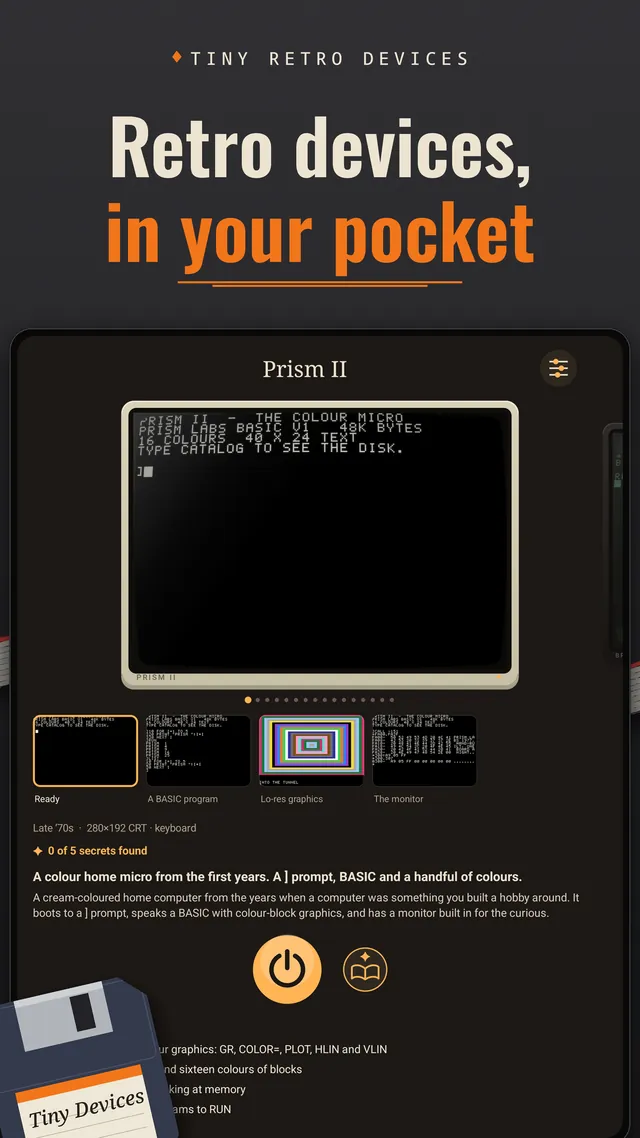
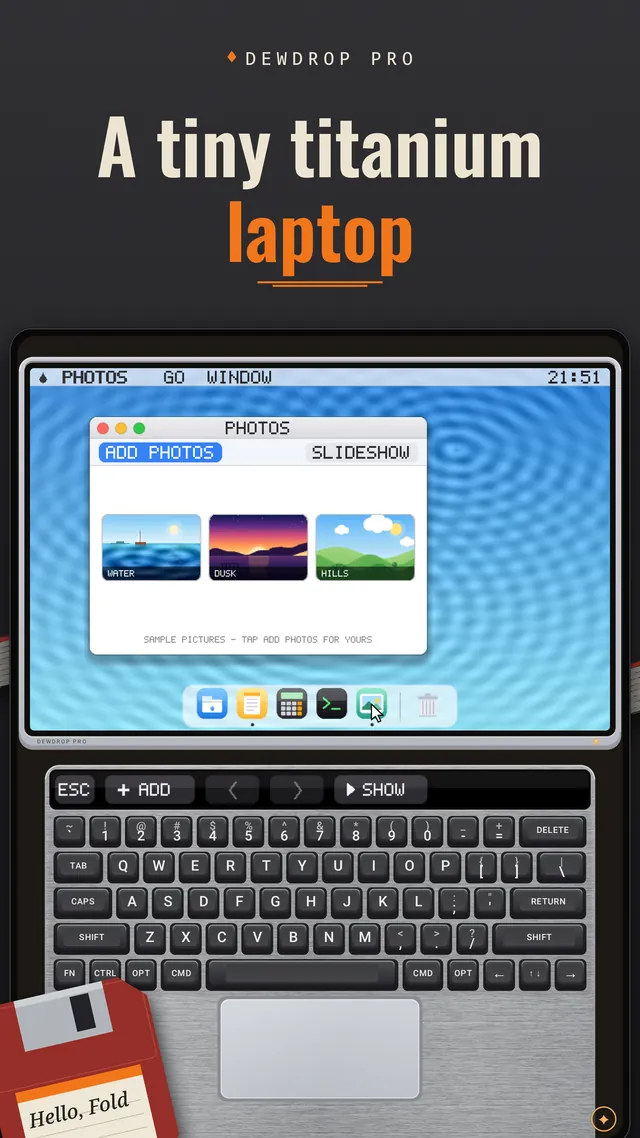
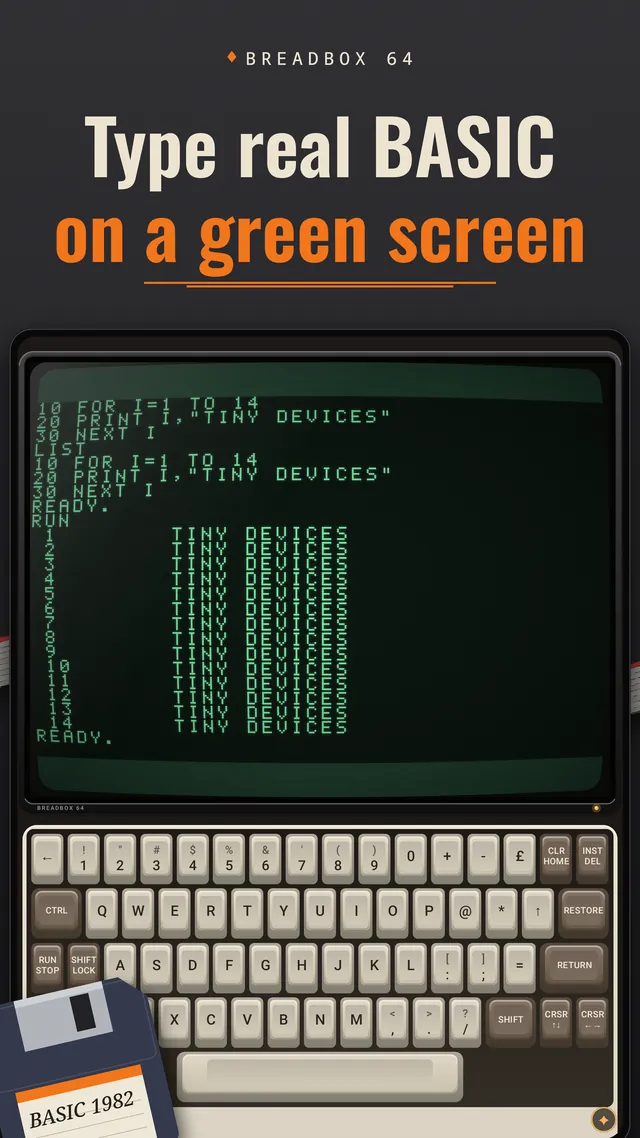
Tiny Devices turns your foldable phone into a shelf of tiny retro machines you can actually use. Swipe through the gallery, switch one on, and it boots: a green-screen home computer you can program in BASIC, a titanium laptop with a touch strip, a drum machine, an arcade cabinet, a pinball table. Open the phone and the keys are under your thumbs.
Made for foldable phones such as the Galaxy Z Fold and the Pixel Fold, on Android 14 or newer. Free to download. No subscription, no ads, no account, no tracking.
On the shelf
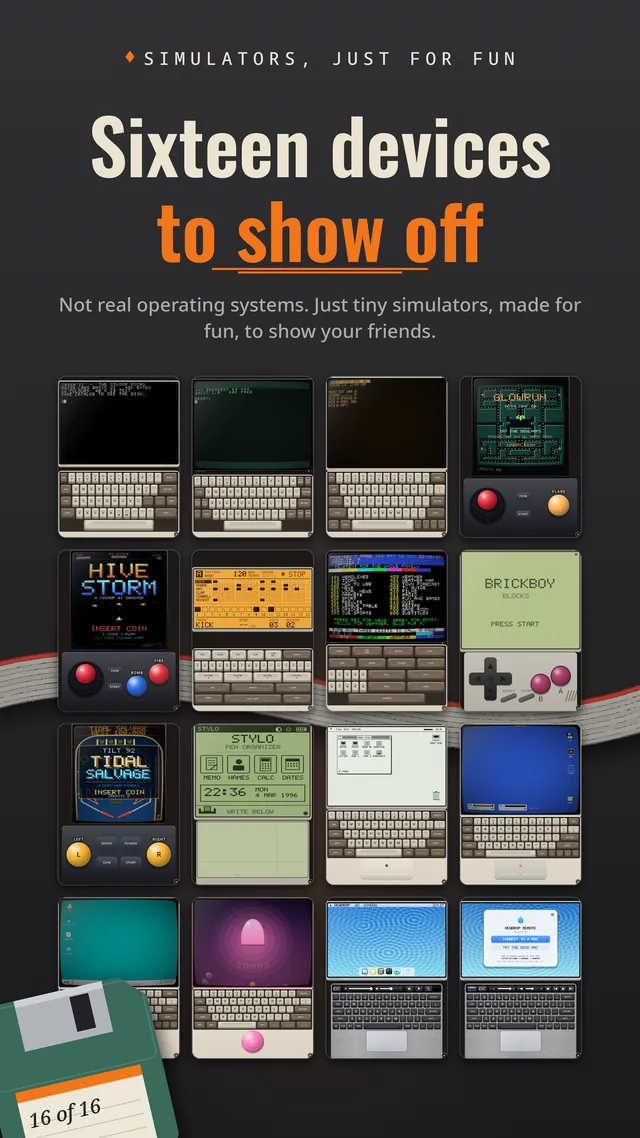
Every Device is an original design inspired by the computers, games and gadgets of the 1970s to 2010s, each with its own screen, keys, sounds and quirks.
- Breadbox 64, a green-screen home computer with real BASIC, floppy disks and a command prompt
- Mono 84, a one-bit desktop with windows, a trash can and a bomb
- Brickboy, a falling-blocks handheld with a four-shade LCD
- A translucent all-in-one with an air-hockey game, and a pen organizer that reads your handwriting
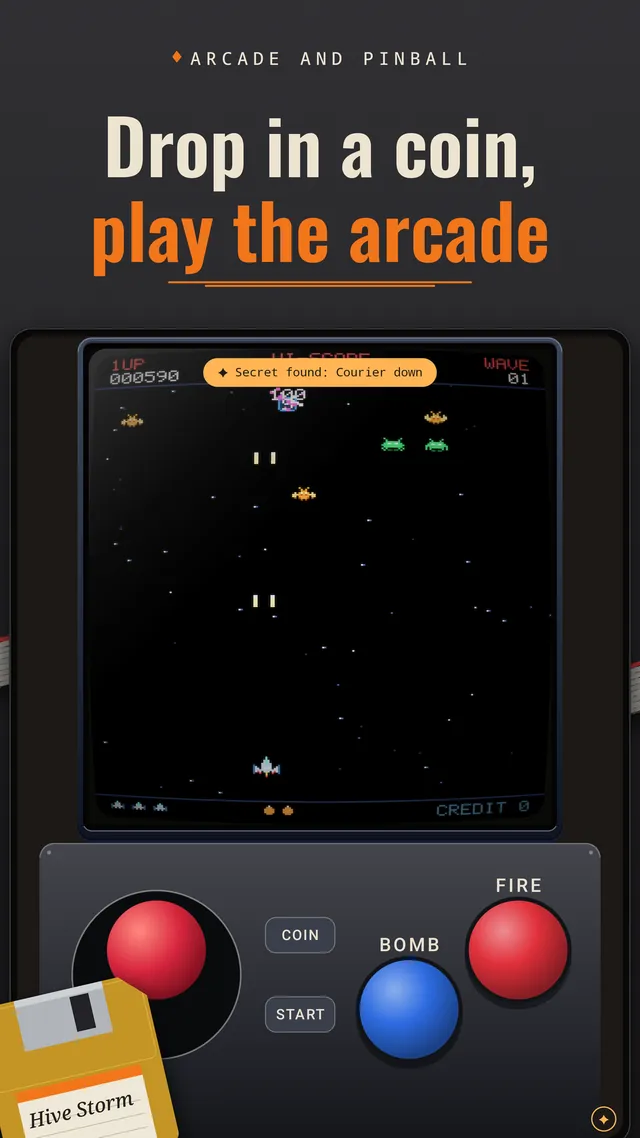
- Hive Storm, an arcade cabinet with a joystick, a fire button and a Queen boss
- Mothlight 80, a moonlit maze-chase cabinet: eat the light, dodge the Shades
- A deep-sea pinball table with bumpers, multiball and tilt
- A sixteen-step drum machine with tap tempo and shuffle, and a teletext box: type a page number, wait for it to arrive
- Dewdrop, titanium laptops with a Ribbon Bar of touch controls above the keys and a trackpad below
And more. The rest are for you to find.
Built for foldables
Unfold the phone and the Device's screen sits on top, with a real keyboard, trackpad or joystick on the bottom. The layout follows the hinge.
- unfoldscreen on top, keys or joystick underneath
- stand it uplike a laptop: the layout follows the hinge
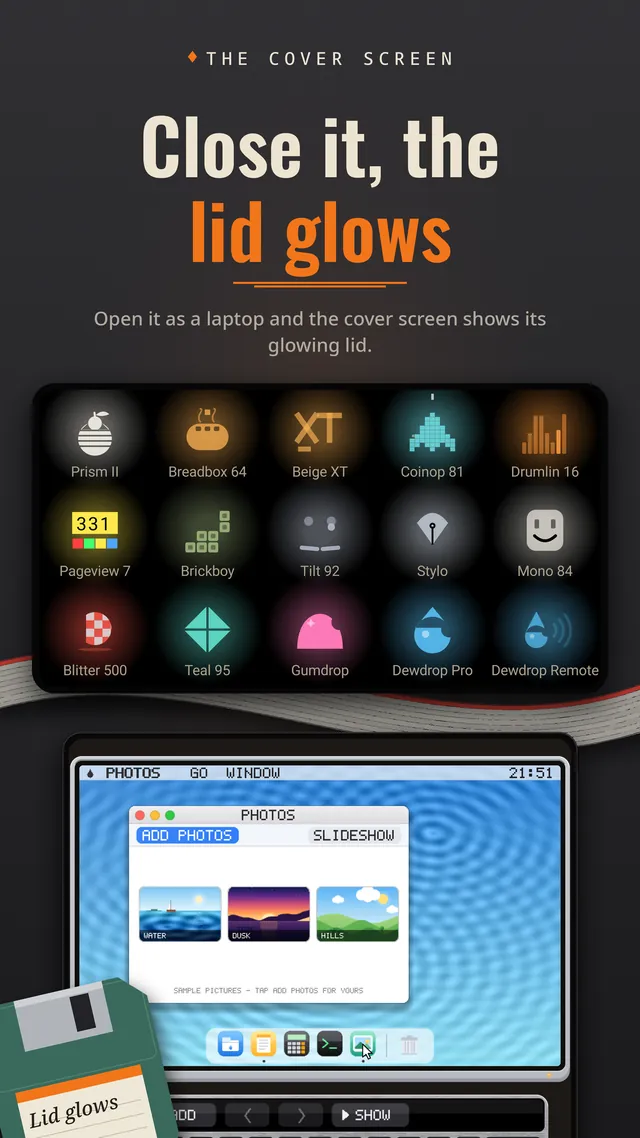
- close itthe cover screen shows the lid
Close the phone and the cover screen becomes the Device's lid, with a small glowing emblem that is a joke about the machine inside. Tiny Devices only plays on foldables: the cover screen is for browsing the gallery and for the lids.
Hint: read the emblems. Each one is a gag.
Snaps from the shelf
Simulators, just for fun
These are simulators, not real computers. Tiny Devices doesn't run real operating systems or real software, and none of the Devices can do what the originals did. Each one is a small world made for fun: play with it, find its secrets, and show it to your friends.
The one real thing is Dewdrop Remote.
Control your real Mac
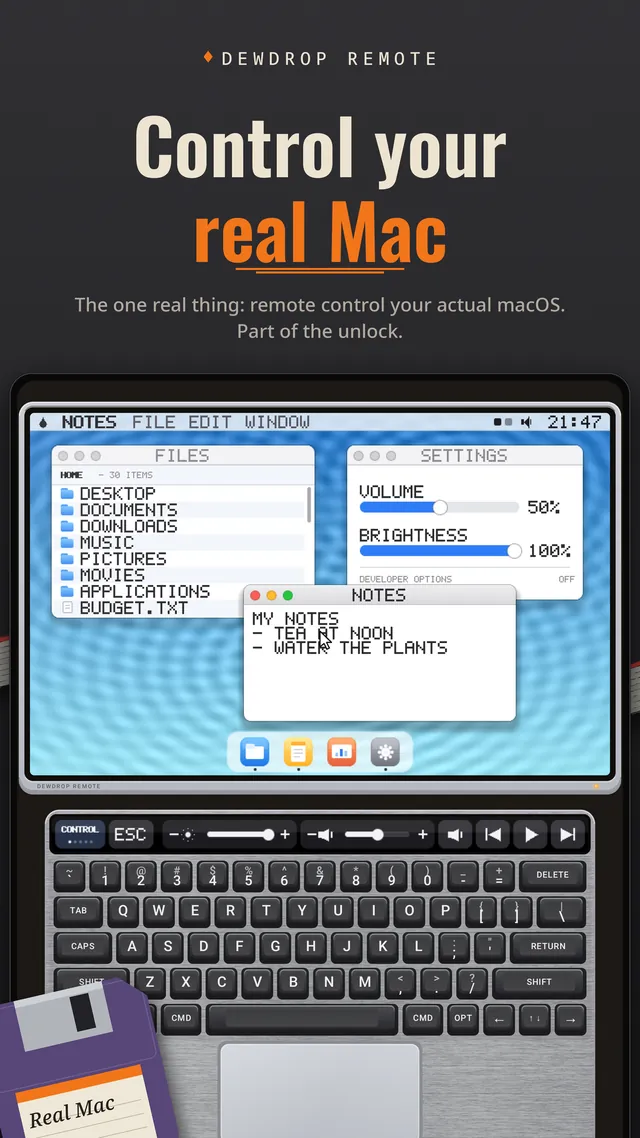
Dewdrop Remote is a tiny laptop that remote controls an actual Mac (macOS) on your own network, using the Mac's built-in Screen Sharing. Your Mac's screen is on top; a Mac keyboard, touch strip and trackpad are below. Two-finger scroll, tap to click, Command and Option keys that latch. It is part of the unlock.
- You need a Mac that is awake and unlocked, with Screen Sharing turned on, on the same network as your phone.
- No Mac? A built-in demo Mac lets you try every control.
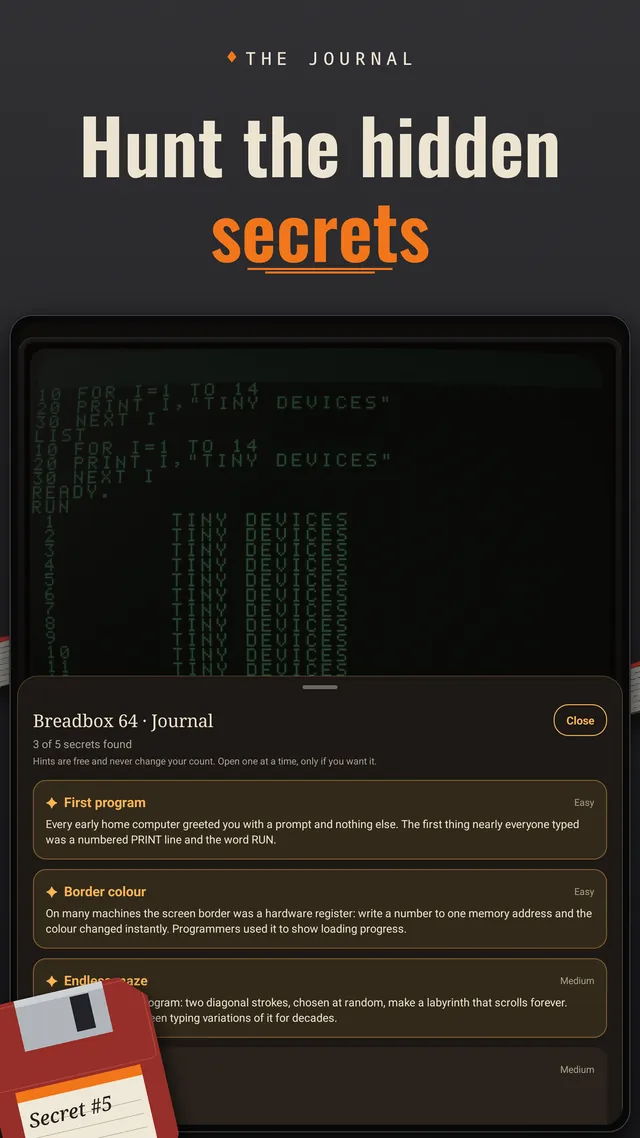
Hunt the hidden secrets
Every Device hides five secrets. A Journal keeps count and gives you three levels of hints for each one, and you decide how much help you want.
- 5secrets in every Device
- 80in all
- 3levels of hints
A nudge
Just enough to get you looking in the right place.
A direction
Warmer. Tells you which way to go.
The exact answer
Stuck for good? "Type it for me" enters it for you.
Hints are free.
Free to try, unlock once
Tiny Devices is free to download.
-
FREE FOREVER
Three Devices
Play these for as long as you like:
- Breadbox 64
- Mono 84
- Brickboy
-
ONE-TIME UNLOCK
All sixteen
A single one-time purchase opens every Device, Dewdrop Remote included. You can restore it with the same Google account.
No subscription, no ads, no account. Purchases are handled by Google Play.
Small details
The things that make it feel like a shelf, not a screen.
- Photos from your phone open in the desktop Devices' photo viewers. They come through Android's photo picker, so the app only sees what you choose.
- It plays offline. The only thing that uses the network is Dewdrop Remote.
- Device clocks follow your phone's clock.
- A foldable phone such as a Galaxy Z Fold or a Pixel Fold, on Android 14 or newer.
- For Dewdrop Remote only: a Mac with Screen Sharing turned on, on the same network.
Good to know
Does it work on a phone that doesn't fold?
No. Tiny Devices is made for foldable phones and only plays on them. The cover screen is for browsing the gallery and for the lids; the Devices themselves use the big inner screen, with the keys or joystick on the bottom half.
Are these real computers?
No. They are simulators, small worlds made for fun. Tiny Devices doesn't run real operating systems or real software. The one real thing is Dewdrop Remote, which controls your actual Mac.
Is it a copy of a real computer or console?
No. Every Device is an original design inspired by the 1970s to the 2010s. Tiny Devices is not affiliated with or endorsed by any computer or console maker.
What does it collect about me?
Nothing. There are no accounts, no ads and no tracking, and the app sends nothing to the developer. Purchases are handled by Google Play. Read the Tiny Devices privacy section.
Do I need to be online?
Only for Dewdrop Remote, which talks to a Mac you choose. Everything else plays offline.
Privacy, in short
- No accounts, no ads, no tracking. The app sends nothing to the developer.
- Your progress, settings and any photos you pick stay on your phone.
- It uses the network for one thing: Dewdrop Remote, and only when you tell it to connect.
Coming soon to Google Play
Tiny Devices is almost on the shelf. It will be free to download, with no account and no ads.
Want to hear when it lands? Tell the studio or write to hello@appxygen.com.
All Devices are original designs inspired by the era. Tiny Devices is not affiliated with or endorsed by any computer or console maker. Mac and macOS are trademarks of Apple Inc.